Manage locations and ready dates
Setting up locations properly in eGrow Connect is an essential part of eGrow Connect and a prerequisite for many of the transactions. To view the location setup for your nursery, go to System Setup, then find the Inventory Tracking folder.
Note: These are typically setup during a new customer’s onboarding, but you can always make needed changes. Keep in mind that eGrow doesn’t allow you to make changes to essential system defaults and settings.
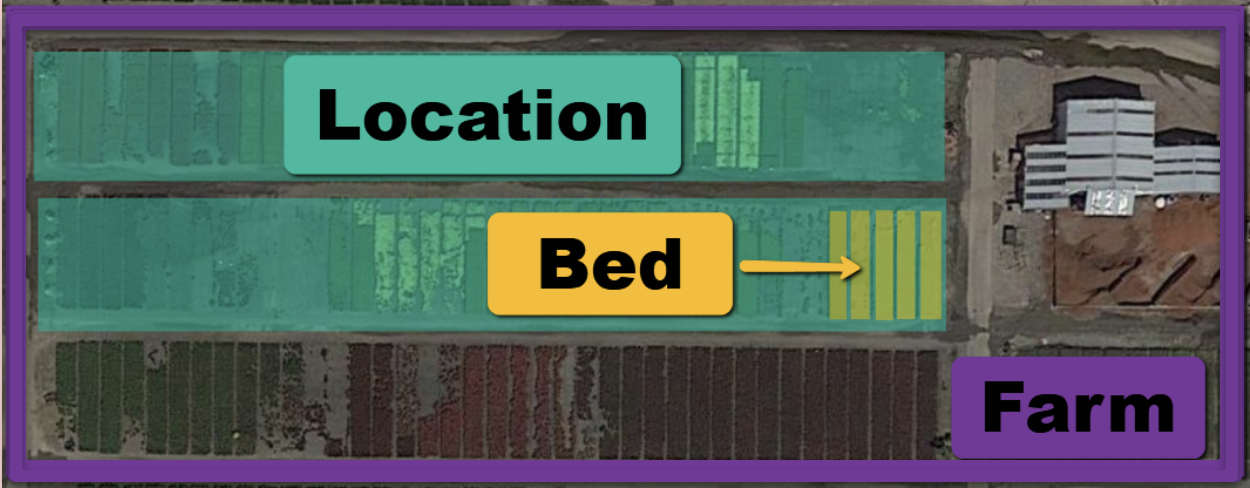
- Farm or Location Group: Here you can Add or Delete or edit the names of the farms or location groups of your nursery.
- Location Type: Here you can Add, Edit, or Delete location types for your nursery.
- Location: Here you will Add or Delete the names and data for each location. eGrow Connect also provides a Bed option to further specify a location.
- Ready Dates: Here you will Add or Delete ready dates to choose from in the ready date drop down menu.